
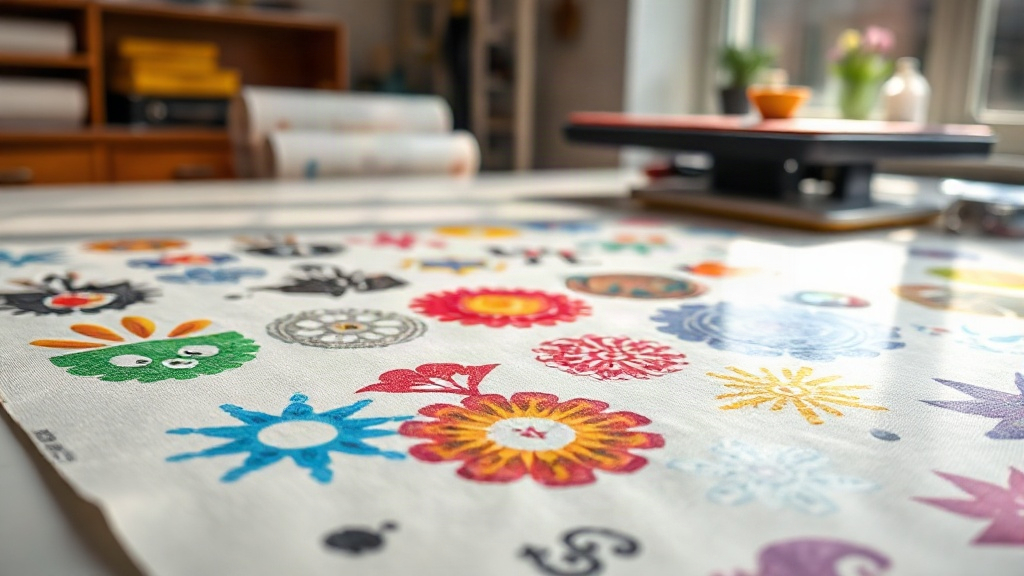
If you're in the custom apparel business, you've probably heard about DTF printing. It's a game-changer for transferring vibrant designs onto various fabrics. But did you know that you can take your efficiency to the next level with DTF gangsheets? In this guide, we'll explore what gangsheets are, why they matter, and how to use them to maximize your production.
What is a DTF Gangsheet?
A DTF gangsheet is a single sheet of DTF transfer film that contains multiple designs arranged together. Instead of printing each design individually, you consolidate them onto one sheet, which is then printed, powdered, and cured in one go. This method saves time, reduces waste, and cuts down on material costs.
Think of it as batch processing for DTF printing. Whether you're a small shop or a large-scale operation, gangsheets can significantly improve your workflow.
Why Use DTF Gangsheets?
There are several compelling reasons to adopt gangsheets in your DTF printing process:
- Time Efficiency: Printing multiple designs at once means less machine setup and fewer interruptions.
- Cost Savings: You use less film and powder per design, and you minimize waste from misprints.
- Consistency: All designs on the sheet go through the same process, ensuring uniform quality.
- Scalability: Easily handle large orders by grouping similar jobs.
For businesses that offer custom t-shirts, hoodies, or tote bags, gangsheets are a no-brainer.
How to Create a DTF Gangsheet
Creating a gangsheet involves a few key steps. Here's a breakdown:
1. Design Preparation
Start by collecting all the designs you want to include. Ensure they are high-resolution (300 DPI is recommended) and in PNG format with transparent backgrounds. Use design software like Photoshop, Illustrator, or specialized RIP software to arrange them on a canvas that matches your film size (e.g., 13" x 19", 22" x 24", etc.).
Leave a small gap between designs to avoid color bleeding and to make cutting easier.
2. Printing the Gangsheet
Load your DTF printer with the appropriate film. Print the gangsheet using your DTF printer, which will lay down the CMYK and white ink layers. The white ink is crucial for opacity on dark fabrics.
3. Powdering and Curing
After printing, apply hot melt adhesive powder evenly over the wet ink. Shake off excess powder, then cure the sheet in a heat press or oven at the recommended temperature (usually around 160°C/320°F for 2-3 minutes). This step melts the powder and creates a durable transfer.
4. Cutting and Pressing
Once cured, cut out each design. You can use a cutter or scissors. Then, press each design onto your garment using a heat press at 160°C for 15-20 seconds with medium pressure. Peel the film off warm or cold, depending on the film type.
Best Practices for DTF Gangsheets
To get the most out of your gangsheets, follow these tips:
- Optimize Layout: Arrange designs closely but not touching to maximize film usage. Rotate designs if needed.
- Group by Color: If you have designs with similar color profiles, group them to reduce ink changes.
- Test Print: Before committing to a full sheet, do a small test to check color accuracy and adhesion.
- Storage: Store unused gangsheets in a cool, dry place to prevent powder from absorbing moisture.
These practices will help you maintain high quality and reduce costly mistakes.
Common Mistakes to Avoid
Even experienced printers can slip up. Watch out for these pitfalls:
- Overcrowding: Packing too many designs can lead to ink smudging or uneven powder application.
- Inconsistent Powdering: Too much powder causes a rough texture; too little leads to poor adhesion.
- Improper Curing: Under-curing results in washes out; over-curing can burn the film.
- Ignoring Film Type: Different films have specific peel requirements (hot vs. cold). Always check the manufacturer's instructions.
Avoiding these mistakes will save you time and materials.
Maximizing Profit with DTF Gangsheets
Gangsheets aren't just about efficiency; they're a profit booster. By reducing waste and labor, you can offer competitive pricing without sacrificing margins. Consider offering gangsheet services to other businesses, or use them to fulfill large orders quickly.
Additionally, you can nest smaller designs around larger ones to use every inch of film. This is especially useful for popular items like name tags or small logos.
Frequently Asked Questions
What is the ideal size for a DTF gangsheet?
The ideal size depends on your printer's maximum film width and the number of designs. Common sizes are 13" x 19" for desktop printers and 24" x 36" for larger machines. Choose the size that minimizes waste for your typical order volume.
Can I use any DTF film for gangsheets?
Not all films are created equal. Look for films designed for gangsheets, which often have a matte finish for better powder adhesion. Double-sided films can also be used but may require different settings.
How do I prevent colors from bleeding on a gangsheet?
Ensure your designs have a transparent background and leave at least 1/8 inch gap between them. Also, use a printer with good color management and avoid over-saturating the ink.
How long do DTF gangsheets last?
When stored properly in a cool, dry place, unused gangsheets can last up to 6 months. Once pressed onto fabric, the print can withstand 50+ washes if cared for correctly (inside-out, cold water, no bleach).
Is it cost-effective to make gangsheets for small orders?
Yes, even for small orders, gangsheets reduce setup time and material waste. You can combine multiple small orders into one sheet, making it cost-effective for both you and your customers.
With these insights, you're ready to harness the power of DTF gangsheets to elevate your printing business. Start experimenting with layouts and workflows to find what works best for you.