
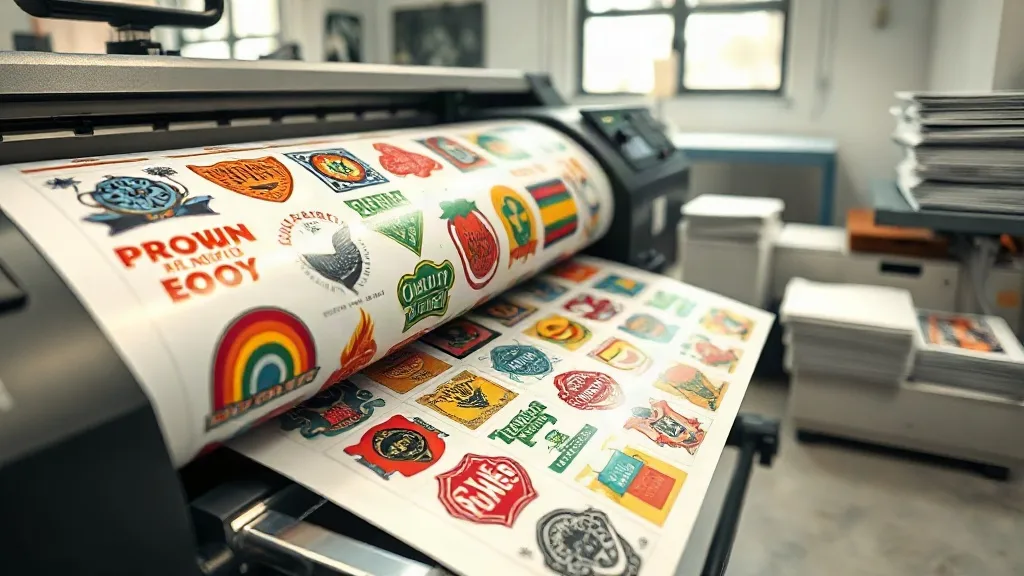
If you're in the custom apparel business, you know that efficiency and cost-effectiveness are key to staying competitive. One tool that has revolutionized the way printers approach small to medium-sized orders is the DTF Gangsheet. This guide will walk you through everything you need to know about gangsheets, from what they are to how to use them like a pro.
What is a DTF Gangsheet?
A DTF gangsheet is a single sheet of DTF transfer film that contains multiple designs arranged together. Instead of printing each design individually, you consolidate them onto one sheet, maximizing the use of your printer's platen and reducing waste. This approach is particularly beneficial for orders with various small designs or for creating ready-to-press collections.
Why Use a DTF Gangsheet?
Using a DTF Gangsheet offers several advantages:
- Cost savings: By printing multiple designs on one sheet, you use less film and ink per design, lowering your production costs.
- Time efficiency: You can produce more transfers in a single print run, speeding up order fulfillment.
- Consistency: All designs on a gangsheet go through the same printing and curing process, ensuring uniform quality.
- Versatility: Gangsheets are ideal for sample packs, small batch orders, or personalized items with multiple elements.
How to Create a DTF Gangsheet
Creating a gangsheet requires careful planning and the right tools. Here's a step-by-step guide:
1. Choose the Right Software
Most DTF printers come with RIP software that includes gangsheet creation features. Alternatively, you can use design software like Adobe Illustrator or specialized gangsheet builders. Look for software that allows you to import designs, arrange them efficiently, and add registration marks if needed.
2. Optimize Your Layout
The goal is to minimize wasted space. Rotate designs to fit them closely together, but leave a small gap (about 0.1-0.2 inches) between designs to prevent ink bleeding. Consider the size of your platen and the maximum print width of your printer. Some software offers auto-nesting features to simplify this process.
3. Set the Right Print Settings
Ensure your printer is set to the correct resolution (usually 1440 dpi or higher) and ink limits. Overloading ink can cause smudging, while too little results in faded transfers. Always perform a test print to check quality.
4. Print and Cure
Print the gangsheet onto DTF film, then apply hot melt powder evenly. Shake off excess powder and cure the sheet under a heat press or in an oven according to the powder manufacturer's instructions. Proper curing is crucial for durability.
Best Practices for DTF Gangsheets
To get the most out of your gangsheets, keep these tips in mind:
- Group similar designs: If you have multiple designs with similar colors or ink coverage, place them together to optimize ink usage.
- Use high-quality film: Cheaper films may cause curling or poor powder adhesion, leading to failed transfers.
- Label your gangsheets: If you're producing multiple sheets, label them with design names or order numbers to avoid confusion.
- Store properly: Keep printed gangsheets in a cool, dry place away from direct sunlight to prevent premature curing or damage.
Common Mistakes to Avoid
Even experienced printers can run into issues. Watch out for these pitfalls:
- Overcrowding: Placing designs too close together can cause ink to spread and mix, ruining the transfers.
- Inconsistent powder application: Uneven powder coating leads to patchy transfers. Use a powder shaker for even distribution.
- Ignoring film orientation: DTF film has a print side and a non-print side. Printing on the wrong side will ruin the sheet.
- Skipping test prints: Always test new designs or settings on a small scale before committing to a full gangsheet.
Applications of DTF Gangsheets
Gangsheets are incredibly versatile. Here are some popular uses:
- Sample packs: Send potential clients a variety of designs on one sheet to showcase your work.
- Small batch production: Efficiently produce multiple small orders in one go.
- Personalized items: Create transfers for names, numbers, or logos to be applied to jerseys, bags, and more.
- Seasonal collections: Print a range of designs for holidays or events on a single sheet.
Choosing the Right DTF Printer for Gangsheets
Not all DTF printers are created equal. When selecting a printer for gangsheet production, consider:
- Print width: A wider printer (e.g., 24 inches or more) allows larger gangsheets, increasing efficiency.
- Resolution: Higher resolution (1440 dpi+) ensures fine details and crisp lines.
- Reliability: Look for printers with robust feed systems and minimal downtime.
- Software compatibility: Ensure the printer's RIP software supports gangsheet creation and nesting.
Frequently Asked Questions
What is the maximum size for a DTF gangsheet?
The maximum size depends on your printer's platen and film width. Common sizes are 13x19 inches (A3+) and 24 inches wide by any length. Always check your printer's specifications.
Can I mix different designs on one gangsheet?
Absolutely. That's the primary purpose of a gangsheet. Just ensure designs are spaced adequately and consider grouping by color or ink coverage for efficiency.
How do I prevent designs from bleeding together on a gangsheet?
Leave a gap of at least 0.1-0.2 inches between designs. Also, ensure your printer's ink settings are correct and avoid over-saturating the film.
Do I need special software to create a gangsheet?
Many RIP software programs include gangsheet tools. If not, you can use design software like Adobe Illustrator to manually arrange designs. Some online tools also offer gangsheet builders.
How should I store unused gangsheets?
Store them flat in a cool, dry place, away from moisture and direct sunlight. Use a protective cover to prevent dust accumulation.
Mastering the DTF Gangsheet can significantly enhance your printing operation's efficiency and profitability. With the right approach, you'll wonder how you ever managed without them.